Scheduling and open shifts
The problem: Shifts are split across texts, calls, and spreadsheets. Open shifts take too long to fill.
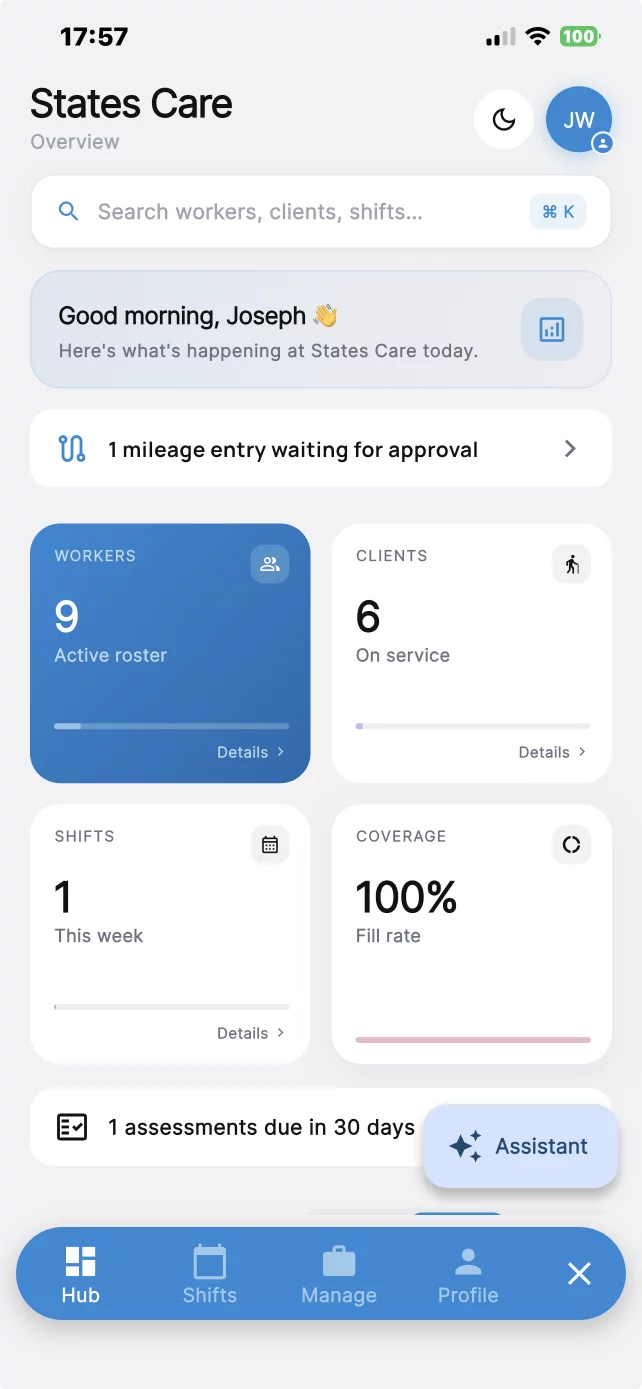
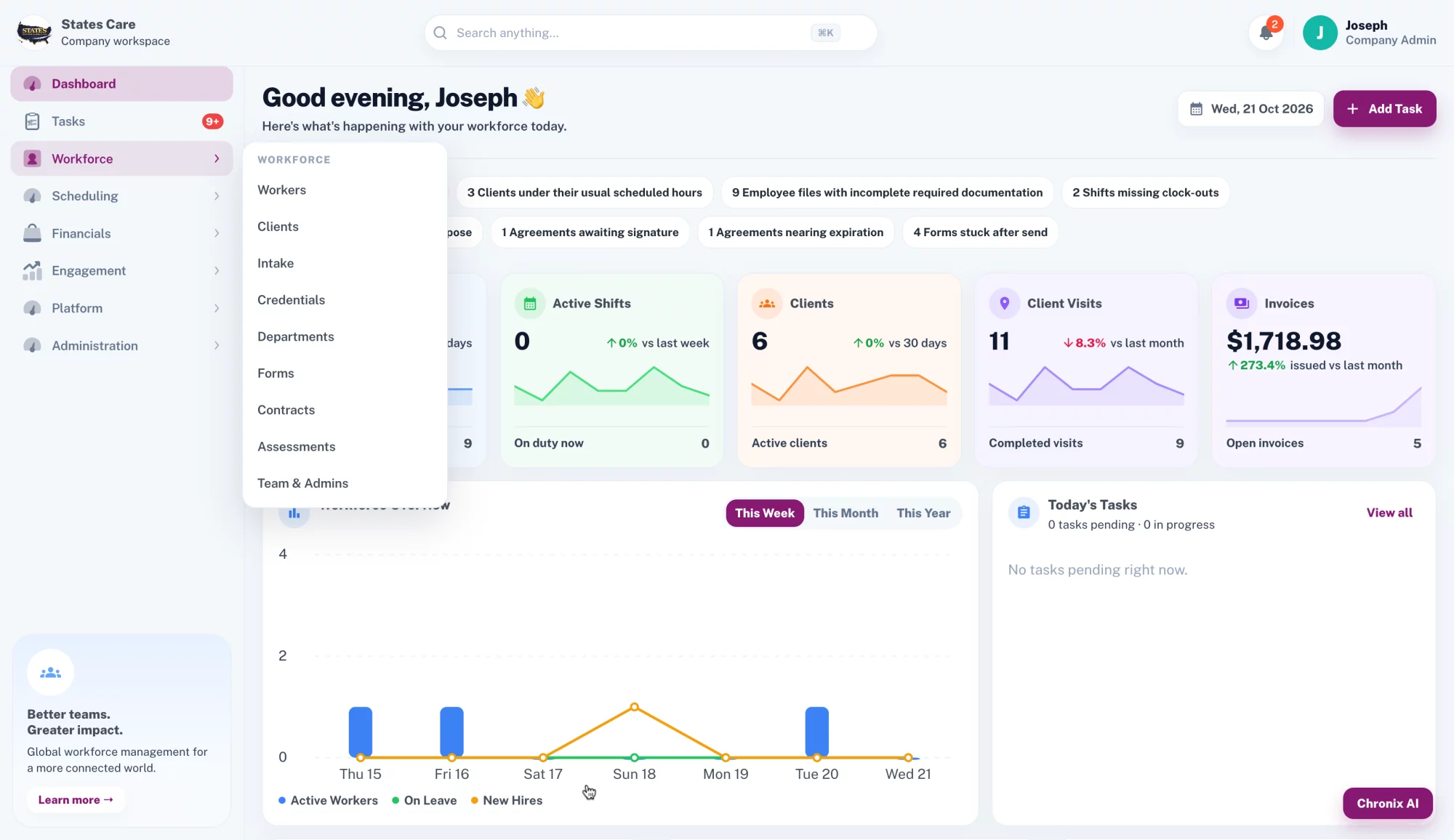
What you get: Build the schedule in the web app and post open shifts. Caregivers use the mobile app.
Schedule caregivers, verify every visit at the client home, and keep intake, documents, and reports in one place.
How it helps
Each problem below is paired with the part of CareChronix that handles it.
The problem: Shifts are split across texts, calls, and spreadsheets. Open shifts take too long to fill.
What you get: Build the schedule in the web app and post open shifts. Caregivers use the mobile app.
The problem: A paper timesheet does not show that the caregiver was at the client home.
What you get: Built-in EVV: geofenced clock-in and clock-out, saved with every shift. Caregivers clock in at the client address and clock out before leaving.
EVV requirements vary by state; confirm your state's requirements.
The problem: Mileage sits on separate sheets and is easy to lose.
What you get: Track mileage on its own or together with a shift, in the web app and the mobile app.
The problem: Hiring packets and expiring credentials live in email and folders.
What you get: Onboard caregivers in the platform. Store documents and credentials, and track expiry.
The problem: Intake is a paper packet, and some clients need help to finish it.
What you get: Administrators can help clients complete intake. Use customizable assessments and templates, then collect a digital signature.
The problem: Applications, contracts, and uploads move through email.
What you get: Send custom forms and applications to employees, applicants, or clients. Collect digital signatures, contracts, and document uploads.
The problem: Notes and incident reports are hard to find after the visit.
What you get: Save visit notes, incident reports, and tasks with the visit.
The problem: When a visit changes, you cannot see who changed it.
What you get: Each visit stores the service type, client, caregiver, date, location, and start and end time. All changes are in an audit trail.
The problem: Office staff, caregivers, and families should not all see the same records.
What you get: Set access for admin, manager or supervisor, caregiver, and client or family when you enable it. Add other configured roles.
The problem: Payroll and billing start from scattered timesheets.
What you get: Payroll and external-system integration depends on your configuration. Itemized reports are ready for your billing process.
The problem: Client, staff, shift, and mileage numbers are rebuilt by hand.
What you get: Run reports for clients, employees, shifts, mileage, documentation, and tasks.
The problem: The tools do not look or flow like your agency.
What you get: Use your logo, colors, forms, and workflows. Each company workspace stays separate.
The problem: The office and the field do not share one record.
What you get: The office uses the web app. Caregivers use the mobile app. A REST API is available.
Before and after
Before
After
One platform
Scheduling, open shifts, visits, mileage, documents, and reports in one workspace.
Visit verification
Caregivers clock in at the client address and clock out before leaving. Every visit is time-stamped, location-verified, and saved with the shift.
Built-in EVV: geofenced clock-in and clock-out, saved with every shift.
EVV requirements vary by state; confirm your state's requirements.
EVV accepted in:
State acceptance details available on request.
Chronix AI is built into CareChronix. Admins ask in plain words, and it answers from the company's own records. Open it from the Chronix AI button in the web app or the Assistant button in the mobile app.
You stay in control. When Chronix AI drafts a task or a shift, nothing is created until you press Approve.
Search any record
Clients, workers, visits, service notes, incidents, credentials, mileage, and tasks.
Draft tasks and shifts
Describe the task or shift. Review the draft, then approve it.
Expiring credentials
Employees with credentials expiring in the next 30 days.
Missed visits and missing notes
Clients with missed visits, and visits missing service notes.
Incomplete training
Employees who have not completed required training.
Help with notes
Workers can fix grammar, summarize notes and incident reports, and spot missing details in their own documentation.
Pricing
Monthly price follows the number of active clients. Plans start at $150/month.
Starter
$150
per month
1-25 active clients
Covers 25 active clients
Pro
$300
per month
26-50 active clients
Covers 50 active clients
Scale
$600
per month
51-100 active clients
Covers 100 active clients
Enterprise
$7 per active client, pay as you go
101+ active clients
Account and operational data is protected in transit and at rest.
FAQ
The office uses the web app. Caregivers use the mobile app. A REST API is available.
Built-in EVV: geofenced clock-in and clock-out, saved with every shift. Caregivers clock in at the client address and clock out before leaving. EVV requirements vary by state; confirm your state's requirements.
Service type, client, caregiver, date, location, and start and end time. Changes are kept in an audit trail.
Yes. Mileage tracking works on its own or together with a shift, in the web app and the mobile app.
Admin, manager or supervisor, caregiver, and client or family when you enable that access. You can add other configured roles.
Payroll and external-system integration depends on your configuration. You can run itemized reports for billing.
Yes. Administrators can help clients complete intake. Assessments and templates are customizable.
Fifteen minutes. We will walk through scheduling, clock-in, and the records you keep today.
Tell us about the agency. We will email you to set the time.